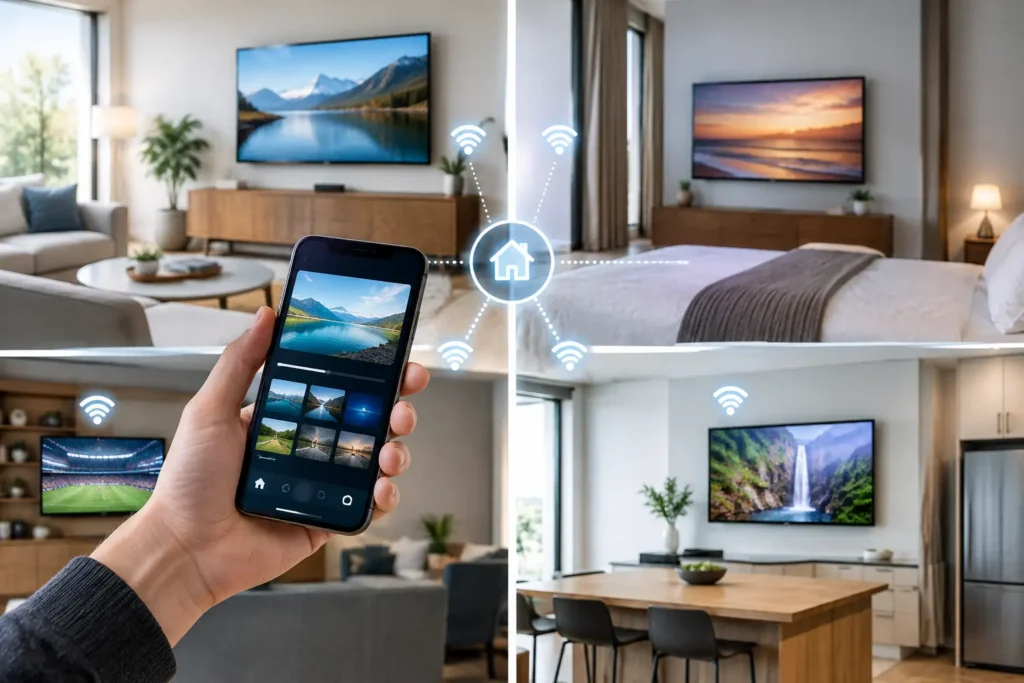
A guest should not see last season’s restaurant hours, an expired spa offer, or a welcome screen that belongs to another property. Yet those details are common when teams still rely on room-by-room TV changes. Knowing how to automate TV updates turns the in-room screen from an operational burden into a controlled, current guest communication channel.
For hotels, hospitals, residences, and multi-building accommodations, the objective is not simply to update software faster. It is to publish the right content, interface settings, promotions, and service information to the right screens without dispatching staff to every room. Done well, automated updates protect the guest experience while giving operations and commercial teams a faster way to act.
Why manual TV updates fail at scale
A manual TV update process may be manageable in a 20-room property. It becomes expensive and inconsistent as room counts grow. Someone must visit each device, confirm the change was applied, troubleshoot exceptions, and repeat the process after a reset or software issue. That is time IT or operations teams cannot spend on higher-value work.
The cost is not only labor. Manual processes create version drift. One floor may display a new channel lineup while another has the previous one. A renovated wing may receive a new welcome experience while older rooms still use an outdated logo. During a weather event, service interruption, or urgent safety communication, waiting for a technician to reach every screen is not an acceptable plan.
Server-based TV systems can centralize some content, but they often add hardware, maintenance requirements, and deployment constraints. Cloud-managed TV platforms move control into a browser-based management environment so approved changes can reach rooms remotely.
How to automate TV updates without visiting rooms
The practical answer is to separate updates into categories, assign approval rules, and deliver them through a centrally managed cloud platform. Not every change should follow the same schedule. A daily restaurant promotion has different risk and urgency than a firmware release or an Android TV application update.
Start with a device inventory and room groups
Automation only works when the platform knows which screen is where and what experience it should receive. Create an accurate inventory that includes device model, room or bed number, property, network status, and operating system version. Then organize TVs into useful groups.
A hotel may group screens by building, floor, room type, language, brand, or renovation phase. A hospital may need groups for patient rooms, waiting areas, staff spaces, and public information displays. These groups make targeted updates possible. A suite-only upsell can reach suites, while an outage message can reach a specific tower without disrupting the rest of the property.
Avoid building groups solely around organizational charts. The most useful groups reflect how content, policies, and guest services actually vary from one set of screens to another.
Use templates for the experiences that repeat
Most properties do not need to design every TV screen from scratch. Standardized templates for welcome screens, service directories, promotions, channel guides, and local information create consistency and reduce publishing time.
A central brand team can maintain core templates while allowing each property to add its own restaurant hours, amenities, local offers, and event messaging. This balance matters. Too much central control makes local teams wait for routine changes. Too much local freedom creates inconsistent branding and harder quality control.
Templates also make a large-scale rollout more predictable. When a new property opens, its TV experience can inherit an approved structure, then receive property-specific details before rooms go live.
Schedule content by time, location, and guest context
A cloud CMS should allow content to be scheduled in advance rather than published manually at the moment it is needed. For example, breakfast messaging can appear in the morning, a happy-hour offer can run in the afternoon, and a late checkout promotion can be shown on departure day.
Time-based scheduling reduces the chance that staff forget to remove a promotion. Location-based delivery prevents irrelevant messages from reaching every room. When integrated with property data, the TV can become more relevant to the stay itself, such as showing a personalized welcome, departure information, or available services.
Automation should still leave room for immediate publishing. Operations teams need the ability to replace scheduled programming when weather, maintenance, or an on-property event requires a timely message.
Set a safe release process for software updates
Content changes are usually low risk. Platform, launcher, and device software updates require more discipline. A poorly timed release can interrupt service, change a familiar interface, or expose an issue that affects a large number of rooms.
Use staged deployment rather than sending a new release to every TV at once. Begin with a pilot group of rooms or internal test devices, confirm device connectivity and application behavior, then expand by floor, building, or property. Schedule non-urgent updates during low-use periods, and define a rollback path before the release begins.
A good update policy answers three practical questions: who approves the release, which devices receive it first, and what happens if the update does not complete successfully. These decisions should not be improvised during an incident.
What should be automated and what should not
The best automation programs do not treat every change alike. Routine updates should run with minimal intervention, while high-impact changes should include review and testing.
| Update type | Recommended approach | | — | — | | Promotional offers and dining hours | Schedule automatically with start and end dates | | Welcome screens and property information | Publish through approved templates and room groups | | Channel lists and streaming app visibility | Centralize changes and test on representative devices | | Launcher or application releases | Stage deployment and monitor completion | | Emergency or service-disruption messages | Allow authorized teams to override schedules immediately | | Device firmware updates | Follow manufacturer guidance, pilot first, and plan recovery |
This distinction protects speed without giving up control. Marketing teams can move quickly on revenue opportunities, while IT retains a governed process for technical releases.
Choose a platform built for remote operations
Consumer TV management tools are rarely designed for hundreds or thousands of screens in occupied rooms. Hospitality and healthcare environments need a platform that can manage device state, branded experiences, content distribution, and user permissions from one place.
Look for browser-based administration, room-level and group-level controls, scheduled publishing, device health visibility, and automatic cloud updates. Strong role-based permissions are equally important. A property manager may need to update a restaurant offer, while only IT should be able to change network-sensitive settings or deploy a system release.
The platform should also work with your existing TV and streaming environment. IPTV, OTT apps, casting, and property-management-system data may all be part of the experience. Integration is valuable when it simplifies the guest journey, not when it creates another system staff must manage.
Viggo Smart TV is designed around this operating model, giving teams centralized control over branded TV experiences across rooms without requiring an on-premise TV server.
Measure whether automation is working
Automated updates should create visible operational gains. Track how long it takes to publish a change, how many rooms receive it successfully, how often staff need to visit rooms for TV-related issues, and how quickly outdated content is removed.
Commercial teams can also measure engagement with featured services. If room service, spa, upgrades, or local experiences are promoted through the TV interface, compare offer activity before and after campaigns. The point is not to fill screens with promotions. It is to present useful choices at moments when guests are likely to act.
Device reporting deserves attention as well. A dashboard that identifies offline TVs, failed updates, or outdated application versions lets IT resolve issues before they become front-desk complaints. Automation without visibility simply moves the problem out of sight.
Build for exceptions, not just the normal day
Even a well-managed fleet will have rooms with unstable connectivity, replaced devices, guest-initiated app changes, or failed downloads. Plan for these cases. Devices should check in regularly, retry eligible updates, report failures, and return to the approved experience after a restart or room turnover.
Keep the guest-facing interface focused. Automatic updates should not surprise guests with intrusive prompts or interrupted viewing whenever possible. The best systems perform routine maintenance quietly, then give staff clear evidence that every room is current.
A TV estate becomes easier to operate when updates are no longer a series of room visits. The real opportunity is faster action: a new offer can reach rooms while it is still relevant, a critical message can reach the right guests immediately, and every screen can reflect the standard your property intends to deliver.