
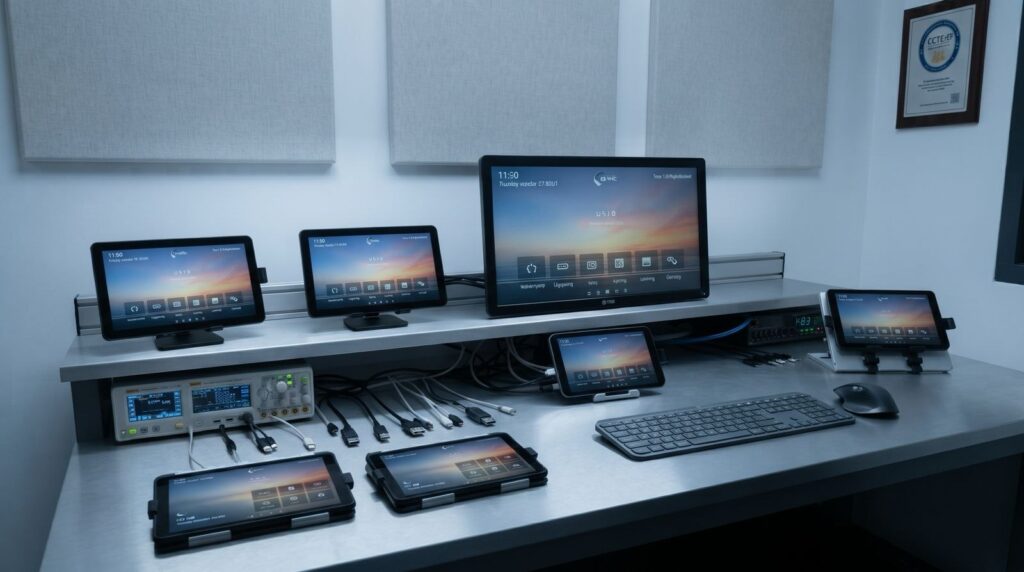
A guest has checked in after a delayed flight, picked up their phone, and reached the room. The TV should not greet them with a confusing channel grid, a generic setup screen, or yesterday’s restaurant promotion. Google TV for hotels can make the in-room screen feel current, useful, and consistent with the rest of the stay – but only when it is deployed as a managed hospitality experience rather than a consumer device on a hotel network.
For hotel operators, the opportunity is larger than adding familiar streaming apps. A properly configured Google TV environment can bring entertainment, casting, property information, service ordering, promotions, and front-desk communication into one screen that staff can update remotely. The practical question is not whether guests recognize Google TV. It is whether the platform helps the property operate with less infrastructure while creating a better guest and revenue experience.
What Google TV for Hotels Should Deliver
Google TV gives guests a familiar, app-driven way to find content. In a hotel, that experience needs controls and context that a living-room television does not. The room TV must start in the hotel’s branded environment, present approved services, protect guest privacy, and remain manageable at scale.
That is where a hospitality launcher and cloud management layer matter. Instead of leaving every screen to behave like an individual consumer television, the property can define the home screen, organize available content, publish local recommendations, and set the same experience across an entire portfolio. A boutique hotel may highlight its spa and late checkout. A convention property may feature event schedules, transport details, and dining hours. The screen becomes relevant to the stay, not just a larger device for watching video.
For operators, the real value is control. Changes to a menu, channel lineup, safety message, or promotion should not require a technician to visit every floor. A browser-based content management system allows authorized teams to schedule and distribute updates by property, building, floor, or room group.
Google TV for Hotels Is Not a Consumer Setup
A consumer Google TV setup is designed around a household account, personal preferences, and long-term device ownership. Those assumptions create problems in a guest room. Guests should not be asked to sign into a hotel-owned account, and their activity should not remain visible after checkout.
The hotel version needs a controlled launcher, locked-down settings, centrally managed applications, and a checkout process that clears session data. It also needs an approach to casting that lets guests use their own devices without exposing those devices to the next occupant or to another room on the network.
Hardware and certification require attention as well. Not every smart TV, streaming device, or Android-based display delivers the same Google TV capabilities. Availability can depend on the manufacturer, model, market, software version, and commercial licensing arrangement. Before committing to a rollout, confirm that the selected screens support the intended apps, management method, content protections, and casting workflow. A low purchase price can become expensive if the hardware cannot be centrally controlled or supported over its useful life.
The Operational Case for a Cloud Platform
Legacy hotel TV systems often depend on headend equipment, on-site servers, specialized configuration, and slow content updates. They can still make sense in properties with existing infrastructure requirements or highly specific broadcast workflows. But for many renovations and new builds, they add hardware and maintenance burdens that do not match how guests consume content now.
A cloud-based platform moves the control layer out of the equipment room. The TV or approved streaming device runs the managed application, while hotel teams control the guest experience through a central console. That changes the rollout model: rooms can be provisioned quickly, templates can be reused across properties, and software updates can be delivered without replacing a server.
| Requirement | Server-based TV approach | Cloud-managed Google TV approach | | — | — | — | | Content changes | Often requires on-site configuration | Publish remotely through a central CMS | | Property branding | Can be time-consuming to revise | Templates support faster updates | | Expansion | May require added headend capacity | Add managed devices as rooms grow | | Software maintenance | Dependent on local infrastructure | Cloud updates reduce local maintenance | | Guest casting | Often separate hardware or integration | Can be managed as part of the room experience |
The comparison is not simply cloud versus server. Hotels should assess internet resilience, IPTV requirements, local channel obligations, and integration needs. A property with a complex existing coaxial distribution environment may use a hybrid model, while a new hotel may prefer a lighter architecture from day one. The goal is to avoid carrying legacy complexity where it no longer creates value.
Turn the Television Into a Service Channel
The hotel TV has one advantage over many digital touchpoints: it is already in the room, visible, and easy to use. That makes it a practical channel for services guests might otherwise miss.
A branded home screen can direct guests to room service, housekeeping requests, amenity reservations, local offers, late checkout, and property events. When the experience connects with the property-management system, the TV can display relevant stay information and support personalized messaging within the hotel’s privacy rules. A family resort might promote pool hours and kids’ activities. An airport hotel might prioritize breakfast times, shuttle details, and fast checkout.
This should be handled with discipline. Too many promotional tiles turn the screen into an ad board and weaken the guest experience. The strongest approach gives entertainment clear priority, then places useful service options where guests can find them without friction. Promotions work best when they solve a timely need: a dining offer near dinner, a spa opening on a rainy afternoon, or an extension offer on departure day.
Secure Casting Is a Guest Expectation
Guests increasingly expect to watch their own subscriptions and personal content in the room. Casting is often the easiest path because it lets them use familiar apps on their own phone or tablet while the hotel TV acts as the display.
In hospitality, the security model matters more than the casting label. The guest should be able to pair with the correct room using a simple on-screen prompt or room-specific method. The system should isolate sessions between rooms, avoid putting guests on a shared visible device list, and remove access automatically when the stay ends. Staff should not need to troubleshoot individual streaming accounts or handle guest credentials.
Network design remains part of the decision. Reliable Wi-Fi, sensible segmentation, and coordination between IT, the TV provider, and the property’s network team are essential. Casting failures are often blamed on the screen, when the actual cause is multicast handling, guest network isolation, or weak room coverage. Test the full guest journey in occupied-room conditions before rollout, not just in a conference room.
A Practical Deployment Plan
Start with the guest journeys the property wants to improve. Define what appears at power-on, how guests access live TV and apps, how casting begins, what content changes at checkout, and which services the TV should promote. This keeps the project focused on outcomes rather than a feature checklist.
Next, validate the device fleet and network. Confirm display compatibility, remote provisioning, Wi-Fi coverage, IPTV or OTT requirements, and how the platform will integrate with the PMS. Decide which staff roles can change content and establish approvals for brand messaging. These details prevent the common problem of launching a modern screen with no owner responsible for keeping it current.
Then pilot a representative group of rooms. Include different room types, network conditions, and guest profiles if possible. Measure setup time, casting success, content accuracy, staff confidence, and support calls. Once the pilot is stable, use standardized templates and room profiles to scale across the property or portfolio.
Viggo Smart TV supports this model with a cloud-managed hospitality launcher, secure guest casting, branded content tools, and property integrations designed to reduce local TV infrastructure.
Questions Hotel Teams Should Ask
Will guests need to enter credentials on the TV?
They should not need to use hotel-owned streaming credentials. A secure casting design lets guests use their own devices and accounts while limiting access to the duration of their stay.
Can the hotel change content without entering rooms?
Yes, when the deployment includes centralized cloud management. Operators should be able to update messaging, promotions, menus, and branded layouts remotely, with permissions that match staff responsibilities.
Does Google TV replace live television?
It can complement or support live TV distribution, but the answer depends on the property’s channel requirements, regional content rules, and existing IPTV or coaxial infrastructure. Evaluate live content and app-based content together rather than treating them as separate guest experiences.
What should success look like after launch?
Look beyond app usage. Track guest feedback, casting completion rates, time spent resolving TV issues, speed of content updates, service clicks, and revenue from promoted amenities. The best deployment reduces operational effort while giving guests more reasons to use property services.
A well-managed room TV should feel almost invisible when a guest wants entertainment and immediately useful when they need something from the hotel. Build for both moments, and the screen earns its place as more than another appliance on the wall.